“Atention Is All You Need”
- Efectivamente, falta una "t". Y ahora que prestáis atención, ya tengo lo que necesito para empezar...
- Esa frase es el título de un famoso Paper que, para el que no lo sepa, dió orígen a la actual revolución de IA.




- ...Pero hoy no vamos a hablar de IA.
- Hoy vamos a desinfoxificarnos (o "desiaficarnos") de tanta IA.
- Hoy hablaremos de Formularios Web.
Czy jest na sali jakiś Polak?
- Traducción: «Algún polonés en la sala?»
- Pequeña broma para comentar que recientemente descubrí que "Smark" significa "moco" en Polaco.
Smark = Smart + Markup
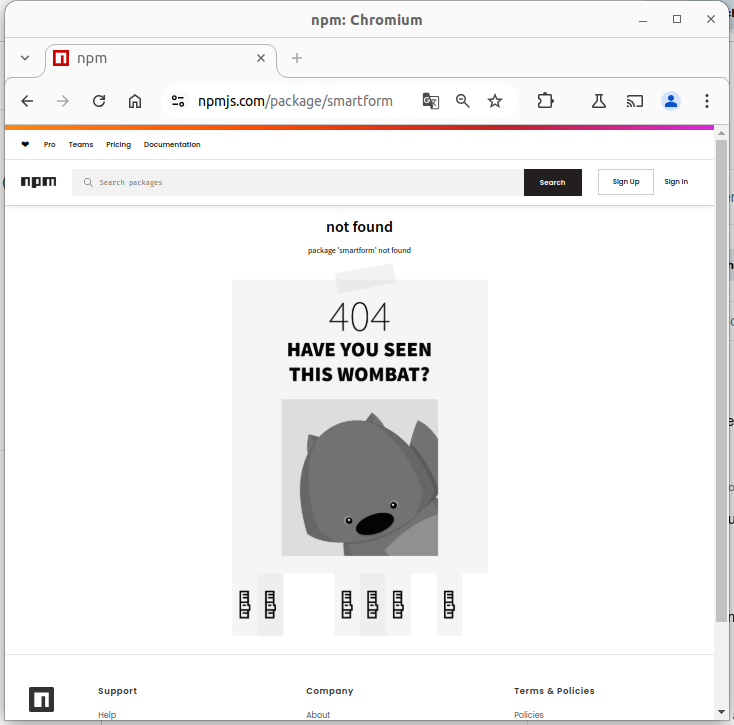
🥱
Otra libreria de formularios...
🤔
¿Por qué SmarkForm es distinta?
- 👌 Sencillez
- ⚡ Potencia
- 🫶 Usabilidad
- ♿ Accesibilidad
- 🏗️ Extendibilidad
- 🚁 Independencia
👌 Sencillez
- 👉 HTML + metadatos
- 👉 Markup-agnostic (Atributo data-smark)
- 👉 SoC (MVC)
- 👉 Zero-Wiring
👉 Zero-Wiring
- 🔧 Acciones (por tipo de campo)
- 🪛 import, export, clear...
- 🔧 Disparadores (Triggers)
- 🪛 Trigger → Acción
- 🔧 Contexto (Natural / Explícito)
- 🪛 (Direccionabilidad)
- 🪛 "ruta/relativa", "../superior", "/ruta/absoluta"...
- 🔧 Objetivo o "target"
- 🪛 (Implicito / Ruta o "*")
👌 Sencillez 👀
🔗
<div id="myForm">
    <p class="row">
        <label data-smark>Nombre:</label>
        <input data-smark='{"name":"name", "type":"input"}' type="text" />
        <button data-smark='{"action":"clear","context":"name"}'>❌</button>
    </p>
    <p class="row">
        <label data-smark>Teléfono:</label>
        <input data-smark name="phone" type="tel" />
        <button data-smark='{"action":"clear","context":"phone"}'>❌</button>
    </p>
    <p class="row">
        <label data-smark>eMail:</label>
        <input data-smark name="email" type="email" />
        <button data-smark='{"action":"clear","context":"email"}'>❌</button>
    </p>
    <p class="row">
        <button data-smark='{"action":"clear"}'>❌ Borrar</button>
        <button data-smark='{"action":"export"}'>💾 Guardar</button>
    </p>
</div>
.row {
    padding: .5em;
}
const myForm = new SmarkForm(document.getElementById("myForm"));const myForm = new SmarkForm(
    document.getElementById("myForm")
);
- 👉 Los elementos sin la etiqueta data-smark no son tenidos en cuenta.
- ➡️ Podríamos incluso insertar tags <input> para otros widgets.
- 📝 Los que sí la tienen son TODOS componentes del formulario y tienen una propiedad type que indica su tipo. Aunque en la mayoría de los casos éste es implícito y puede omitirse...
- 👉 El HTML original es funcional y puede ser trabajado por un diseñador sin interfréncias con el código.
- 👉 Las etiquetas (<label> funcionan sin necesidad de asignar y mapear manualmente identificadores para cada campo.
- 👉 Los botones con la propiedad action son (implícitamente) componentes de tipo "trigger" que disparan acciones de otro componente (contexto).
- ➡️ El contexto es, implícitamente, de entre sus componentes ancestros, el más cercano que implemente la acción especificada.
- ➡️ El contexto puede alterarse mediante la propiedad context del trigger, especificando una ruta absoluta (empezando por "/") o relativa (desde el componente padre del trigger).
- ➡️ Las rutas se construyen utilizando la propiedad "name" de los componentes, separando por "/" y pudiendo utilizar el comodín ".." para subir de nivel.
Every example in this section comes with many of the following tabs:
- HTML: HTML source code of the example.
- CSS: CSS applied (if any).
- JS: JavaScript source code of the example.
- Preview: Live, sandboxed rendering of the example — fully isolated from the page styles.
- Notes: Additional notes and insights for better understanding. Don't miss it‼️
🛠️ Between the tab labels and the content there is always an edit toolbar:
✏️ Edit— activates edit mode: each source tab turns into a syntax-highlighted code editor (powered by Ace) pre-filled with the full, merged source. Changes are sandboxed — the original example is not affected.📋 Include playground editor— (only visible in edit mode) controls whether the JSON playground editor is included in the preview. When toggled, the HTML and JS editors update instantly so you can see exactly what code is needed to add or remove it. Disabled for this example.▶️ Run— (only visible in edit mode) re-renders the Preview from the current editor contents and switches to the Preview tab.
🛠️ DIY
1. Crea tu primer formulario
- 🤔 Elige un proyecto
- 👉 Elige un Stack
- ➡️ ESM / UMD.
- ➡️ NPM / GitHub / Descarga...
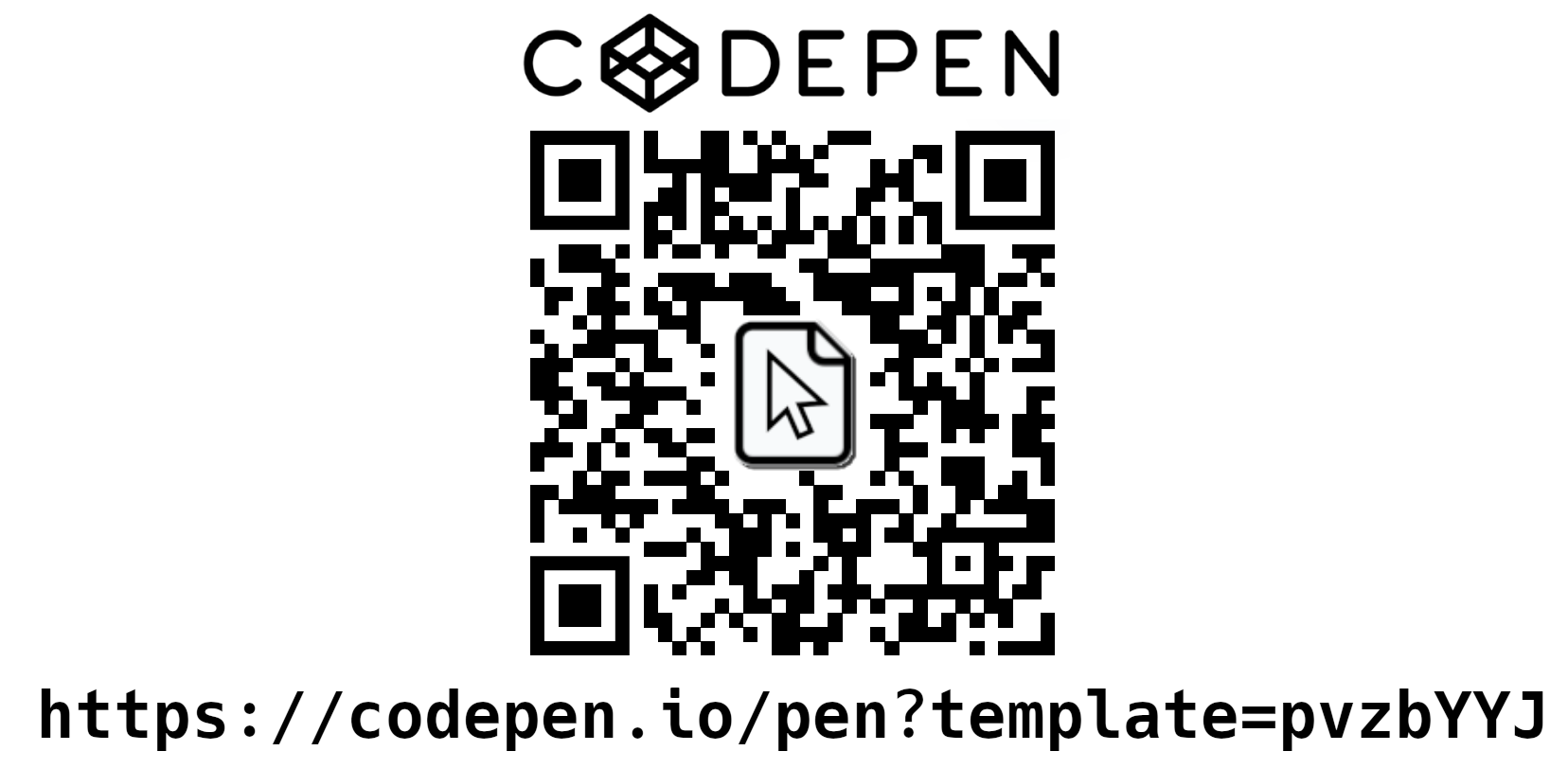
- ➡️ Fichero local / Servidor HTTP / CodePen...
- ➡️ Ejemplo / Boilerplate / Desde cero.
- 🚀 Empieza!!
⚡ Potencia
- 👉 JSON ⬆️ / ⬇️
- 👉 Subformularios
- 👉 Listas dinámicas ordenables
- 👉 Gestión de interdependéncia
- ➡️ The API Interface
- 👉 Tipado y validación
⚡ Potencia 👀
🔗
<div id="myForm">
    <p class="row">
        <label data-smark>Nombre:</label><input data-smark='{"name":"name"}' type="text">
        <label data-smark>Edad:</label><input data-smark='{"name":"age"}' type="number">
    </p>
    <fieldset class="row" data-smark='{"name":"conatact_data"}'>
        <button data-smark='{"action":"removeItem", "context":"phones", "target":"*", "preserve_non_empty":true}' title='Limpiar vacíos'>🧹</button>
        <button data-smark='{"action":"removeItem", "context":"phones", "preserve_non_empty":true}' title='Eliminar teléfono'>➖</button>
        <button data-smark='{"action":"addItem","context":"phones"}' title='Añadir teléfono'>➕ </button>
        <strong data-smark='label'>Teléfonos:</strong>
        <ul data-smark='{"name": "phones", "of": "input", "sortable":true, "min_items":0, "max_items":5, "exportEmpties": true}'>
            <li data-smark='{"role": "empty_list"}' class="row">(No dispone)</li>
            <li class="row">
                <label data-smark>📞 </label><input type="tel" data-smark>
                <button data-smark='{"action":"removeItem"}' title='Eliminar éste teléfono'>❌</button>
            </li>
        </ul>
        <p class="row"><label data-smark>eMail:</label>
        <input type="email" name="email" data-smark /></p>
    </fieldset>
    <p class="row">
        <button data-smark='{"action":"clear"}'>❌ Borrar</button>
        <button data-smark='{"action":"import"}'>📂 Abrir</button>
        <button data-smark='{"action":"export"}'>💾 Guardar</button>
    </p>
</div>
.row {
    padding: .5em;
}

fieldset.row {
    border: solid 1px;
    margin: 3px;
}

button:disabled {
    opacity: .5;
}
const myForm = new SmarkForm(document.getElementById("myForm"));const myForm = new SmarkForm(
    document.getElementById("myForm")
);

/* Do something on data export */
myForm.on("AfterAction_export", ({data})=>{
    window.alert(JSON.stringify(data, null, 4));
});

/* Get data from somewhere on import */
myForm.on("BeforeAction_import", async (ev)=>{
    let data = window.prompt('Fill JSON data');
    if (data === null) return void ev.preventDefault(); /* Cancelled */
    try {
        ev.data = JSON.parse(data);
    } catch(err) {
        alert(err.message);
        ev.preventDefault();
    };
});

/* Ask for confirmation unless form is already empty: */
myForm.on("BeforeAction_clear", async ({context, preventDefault}) => {
    if (
        ! await context.isEmpty()        /* Form (or field) is not empty */
        && ! confirm("Descartar datos?") /* User clicked the "Cancel" button. */
    ) {
        /* Prevent default (clear form) behaviour: */
        preventDefault();
    };
});
- 👉 Interceptando los eventos adecuados, podemos, por ejemplo:
- ➡️ Inyectar o capturar los datos (JSON) de las acciones import y export.
- ➡️ Alterar el comportamiento de la acción clear para que nos solicite confirmación cuando sea pertinente.
- 👉 Para agrupar los datos de contacto, usamos un campo de tipo form que devuelve JSON.
- 👉 En lugar de un sólo teléfono hemos utilizado una lista de longitud variable.
- 📝 Los descendientes directos de las listas son plantillas que cumplen un determinado rol. Por defecto "list_item" que es obligatorio y se utilizará para renderizar los elementos de la lista. Pero hay otros, como empty_list, que nos ha permitido mostrar el texto "(No dispone)" cuando la lista esté vacía.
- ➡️ La propiedad of nos permite ahorrarnos el atributo data-smark en la plantilla list_item si sólo es para especficar el tipo. (📌 El tipo input activa el patrón Singleton).
- ➡️ Con min_items=0 y max_items=5, respectivamente, permitimos que la lista esté vacía y limitamos su longitud a un máximo de 5 elementos.
- ➡️ Las propiedades sortable y export_empties permiten, a su vez, que el usuario pueda ordenar la lista arrastrando los elementos y que los que estén vacíos también se exporten.
Every example in this section comes with many of the following tabs:
- HTML: HTML source code of the example.
- CSS: CSS applied (if any).
- JS: JavaScript source code of the example.
- Preview: Live, sandboxed rendering of the example — fully isolated from the page styles.
- Notes: Additional notes and insights for better understanding. Don't miss it‼️
🛠️ Between the tab labels and the content there is always an edit toolbar:
✏️ Edit— activates edit mode: each source tab turns into a syntax-highlighted code editor (powered by Ace) pre-filled with the full, merged source. Changes are sandboxed — the original example is not affected.📋 Include playground editor— (only visible in edit mode) controls whether the JSON playground editor is included in the preview. When toggled, the HTML and JS editors update instantly so you can see exactly what code is needed to add or remove it. Disabled for this example.▶️ Run— (only visible in edit mode) re-renders the Preview from the current editor contents and switches to the Preview tab.
🛠️ DIY
2. Completa tu formulario
- 👉 Utiliza listas y subformularios si los necesitas.
- 👉 Dispón los controles (triggers) donde se precisen.
- 👉 Ajusta los parámetros a la funcionalidad deseada.
- 👉 Gestiona los eventos.
- 👍 Verifica que todo funcione corréctamente.
🫶 Usabilidad
- 👉 Navegación natural
- 👉 Hot-keys contextuales
- 👉 Plegado de secciones
- 👉 (Auto)ordenación...
- 🔗 https://github.com/drag-drop-touch-js/dragdroptouch
🫶 Usabilidad 👀
🔗
<div id="myForm">
    <button data-smark='{"action":"addItem","context":"employee","hotkey":"+"}' title='Nuevo empleado'>👥</button>
    <strong data-smark='label'>Empleados:</strong>
    <div data-smark='{"type":"list","name":"employee", "min_items":0,"sortable":true}'>
        <fieldset class="row">
            <p class="row">
                <label>Empleado</label>
                <span data-smark='{"action":"position"}'></span>/<span data-smark='{"action":"count"}'></span>:
                <input data-smark='{"name":"name"}' type="text" placeholder='Nombre...'>
                <button data-smark='{"action":"removeItem","hotkey":"-"}' style='float: right;' title='Baja empleado'>🔥</button>
            </p>
            <strong data-smark='label'>📞 Teléfonos:</strong>
            <ul data-smark='{"name": "phones", "of": "input", "sortable":true, "max_items":3}'>
                <li class="row">
                    <button data-smark='{"action":"removeItem","hotkey":"-"}' title='Eliminar Teléfono'>➖</button>
                    <input type="tel" data-smark />
                    <button data-smark='{"action":"addItem","hotkey":"+"}' title='Añadir Teléfono'>➕ </button>
                </li>
            </ul>
        </fieldset>
    </div>
    <p class="row">
        <button data-smark='{"action":"clear","hotkey":"x"}'>❌ Borrar</button>
        <button data-smark='{"action":"export","hotkey":"s"}'>💾 Guardar</button>
    </p>
</div>
button[data-hotkey] {
    position: relative;
    overflow-x: display;
}
button[data-hotkey]::before {
    content: attr(data-hotkey);
    display: inline-block;
    position: absolute;
    top: 2px;
    left: 2px;
    z-index: 10;
    background-color: #ffd;
    padding: 2px 8px;
    border-radius: 4px;
    font-weight: bold;
    font-family: sans-serif;
    font-size: .8em;
    white-space: nowrap;
    transform: scale(1.8) translate(.1em, .1em);
}

.row {
    padding: .5em;
}

fieldset.row {
    border: solid 1px;
    margin: 3px;
}

button:disabled {
    opacity: .5;
}
const myForm = new SmarkForm(document.getElementById("myForm"));const myForm = new SmarkForm(
    document.getElementById("myForm")
);

/* Do something on data export */
myForm.on("AfterAction_export", ({data})=>{
    window.alert(JSON.stringify(data, null, 4));
});

/* Get data from somewhere on import */
myForm.on("BeforeAction_import", async (ev)=>{
    let data = window.prompt('Fill JSON data');
    if (data === null) return void ev.preventDefault(); /* Cancelled */
    try {
        ev.data = JSON.parse(data);
    } catch(err) {
        alert(err.message);
        ev.preventDefault();
    };
});

/* Ask for confirmation unless form is already empty: */
myForm.on("BeforeAction_clear", async ({context, preventDefault}) => {
    if (
        ! await context.isEmpty()        /* Form (or field) is not empty */
        && ! confirm("Descartar datos?") /* User clicked the "Cancel" button. */
    ) {
        /* Prevent default (clear form) behaviour: */
        preventDefault();
    };
});
- 👉 Las teclas rápidas se revelan al pulsar la tecla Ctrl y se activan combinándolas con ésta.
- ➡️ La revelación, por defecto, se hace mediante el atributo data-hotkey aunque éste comportamiento podrá alterarse mediante la intercepción del evento.
- ➡️ De éste modo, la forma en que se muestre al usuario dicha "revelación" (pista) depende totalmente del CSS.
- ➡️ Si hay más de un trigger con la misma tecla rápida, se activará sólo la del que esté contextualmente mas cerca al foco.
- ➡️ Si un trigger está desactivado, su tecla rápida no se revela pero, por consistencia, tampoco "cede el paso".
- 👉 Los controles (triggers) para añadir o quitar elementos de una lista que estén integrados déntro de éstos, no reciben el foco al navegar con tabulador siempre que dispongan de tecla rápida.
- 👉 Éste ejemplo tiene dos listas anidadas que podemos reordenar simplemente arrastrando con el ratón (y en el futuro también automáticamente según criterio)...
⚠️ El software utilizado para ésta presentación interfiere en los eventos de teclado y ratón. Para una mejor apreciación, ver los ejemplos del Manual de SmarkForm:
Every example in this section comes with many of the following tabs:
- HTML: HTML source code of the example.
- CSS: CSS applied (if any).
- JS: JavaScript source code of the example.
- Preview: Live, sandboxed rendering of the example — fully isolated from the page styles.
- Notes: Additional notes and insights for better understanding. Don't miss it‼️
🛠️ Between the tab labels and the content there is always an edit toolbar:
✏️ Edit— activates edit mode: each source tab turns into a syntax-highlighted code editor (powered by Ace) pre-filled with the full, merged source. Changes are sandboxed — the original example is not affected.📋 Include playground editor— (only visible in edit mode) controls whether the JSON playground editor is included in the preview. When toggled, the HTML and JS editors update instantly so you can see exactly what code is needed to add or remove it. Disabled for this example.▶️ Run— (only visible in edit mode) re-renders the Preview from the current editor contents and switches to the Preview tab.
🛠️ DIY
3. Mejora la Usabilidad
- 👉 Ajusta las teclas rápidas.
- 👉 Permite la ordenación (si procede).
- 👉 Comprueba la navegación con el teclado.
- 👉 Revisa los estilos (CSS).
- 👉 Verifica el funcionamiento en distiontos dispositivos.
♿ Accesibilidad
- 👉 Máxima libertad en la maquetación.
- 👉 Mínima intrusión en el foco.
- 🚧 Todavía queda trabajo por hacer...
- 🆘 Help!!
🏗️ Extendibilidad
- 👉 Crea tus propios tipos:
- ➡️
class myType extends Smarkform.types.input { ... } - ➡️
SmarkForm.createType(name, myType); - 💡 SmarkForm mixins:
- ➡️
SmarkFrom.createMixin(name, htmlsource); - 🩹 (Mixins de plantillas PUG o similar...)
🚁 Independencia
- 👉 Vanilla JS.
- 👉 ES module / UMD
- 👉 CDN / NPM / GitHub
🔮 Futuro
- 👉 <select>
- ➡️ "Interdependéncia"
- ➡️ Carga dinámica
- 👉 The "API" interface
- ➡️ <option data-src='["https:...", {...}, "POST"]'>
- ➡️ Adaptadores personalizados.
➕ ❓
Cómo puedo ayudar?
- ✊ Usándola
- 📢 Dándola a conocer
- 🪲 Reportando errores
- 💡 Aportando sugerencias, peticiones...
- 🔧 Y, por supuesto, se aceptan PRs!!
Thanks for your attention!!
Grácias